All-in-one communication app
Business calls, team chat, and video meetings — plus AI — together in one app. Stop paying for Slack, Zoom, and Google Voice separately. Phound is the all-in-one communication app for teams that are done switching tabs.
Every conversation. One place.
The cost of tool sprawl
The average mid-market team runs four to six communication tools at once — a separate line item, a separate login, and a separate admin headache for each. Conversations scatter across them, context goes missing between them, and every new hire means provisioning the whole stack again.
You shouldn't need one app for business calls and texts, another for team chat, and a third for meetings. Consolidating to one app for calls, texts, and meetings cuts the bill, the login sprawl, and the "wait, where did we talk about that?" — all at once.
Calling, chat, and video meetings aren't three separate products bolted together. In Phound they share one thread, one history, and one login.
Calling
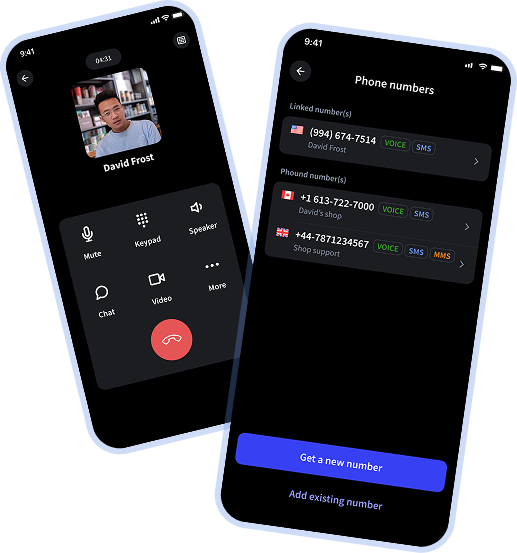
Get a real phone number with voicemail and text messaging — call anyone, no app install required on their end. It's one app for business calls and texts, so work stays off your personal cell.
Messaging
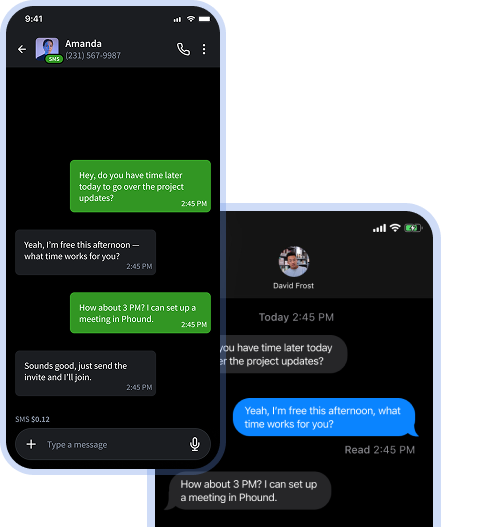
Message colleagues and text customers from the same inbox — 1:1 or in groups — right alongside your calls and meetings. The whole conversation lives in one thread, so nothing falls through.
Meetings
Host video meetings and conferencing for up to 100 participants free, and up to 500 on Pro and Business — with screen sharing, recordings, and transcripts included, not a separate SKU. Start a meeting straight from a chat or call without sending anyone to download a new tool.

AI-native
Because your calls, messages, and meetings live in one place, Phound's AI can actually work across them. No bolt-on, no separate add-on bill.
Get a recap with action items the moment a call or meeting ends — no re-listening.
Every call and meeting is transcribed and searchable, so you can find what was said in seconds.
Ask questions across your full conversation history and get answers pulled from calls, chats, and meetings.
Thinking about replacing Slack and Zoom with one app? Here's the stack most teams run today versus one app that does all of it.
| What you get | Slack + Zoom + Google Voice | Phound |
|---|---|---|
| Apps to manage | 3–6 separate tools | 1 app |
| Logins per employee | One for every tool | One |
| Monthly bills | A separate subscription each | One plan |
| Real phone number (calls + SMS) | Only with Google Voice | Built in |
| Team chat and SMS in one inbox | Split across Slack and a phone app | Yes |
| Video meetings, up to 500 | Zoom, separately | Included |
| AI summaries & transcripts | Paid add-on, where offered | Included |
| Free tier to start | Rarely | Free forever on Basic |
Prefer a head-to-head? Read the full breakdowns.
Zoom
Zoom sells you a phone system, then a chat add-on, then an AI add-on. Phound includes all of it.
Read the comparison → Phound vsMicrosoft Teams
Teams is built for enterprises with IT departments. Phound works in minutes, for teams of any size.
Read the comparison → Phound vsRingCentral
RingCentral was built for the Fortune 500. Phound was built for everyone else — at a fraction of the price.
Read the comparison → Phound vsDialpad
Dialpad transcribes your calls. Phound transcribes calls, messages your team, hosts meetings — and starts free.
Read the comparison → Phound vsGoogle Voice
Google Voice gives you a number. Phound gives you a full communications platform — with AI.
Read the comparison →Replace a stack of subscriptions with a single plan — and start on the free tier.
Basic
Free
Free forever for individuals and small teams. A real number, calling, messaging, and meetings.
Pro
$9.99 /user / mo
Multiple lines, meetings, messaging, and AI features for growing teams.
Business
$18 /user / mo
Centralized admin, shared numbers, and team management. See Phound Business →
The questions teams ask before consolidating their stack into one app.
Calls, texts, meetings, and AI in one place — no credit card, free forever on Basic. Every conversation. One place.
Start for Free